
AI assistant · Available in Solum 1.2.1
Bring your own AI
Ask what is due, check your vial supply, use the calculator, or draft a schedule from your own details. Solum’s optional AI assistant is now available in the Ask tab. Connect your own provider with an API key; your phone talks to it directly.
What you need
An API key from a provider's developer console. This is different from a consumer subscription: a ChatGPT Plus or Claude Pro plan does not come with a key, and Solum cannot use those accounts. Usage is billed by the provider at their rates, so most people put a small amount of credit on the account first.
| Provider | Where to get a key | Key format | Notes |
|---|---|---|---|
| Anthropic | platform.claude.com/settings/keys | Starts with sk-ant- | A Claude Pro or Max subscription does not include API access. |
| OpenAI | platform.openai.com/api-keys | Starts with sk- | ChatGPT Plus does not cover API use. |
| OpenRouter | openrouter.ai/keys | One key, many models | Pick any model OpenRouter lists. |
| Other | Your provider's console | Whatever they issue | Any OpenAI-compatible server: Groq, Mistral, Ollama on your own network, and so on. |
Connecting
The whole thing takes about a minute. The wizard will not let you finish with a key that does not work.
- Open the Ask tab
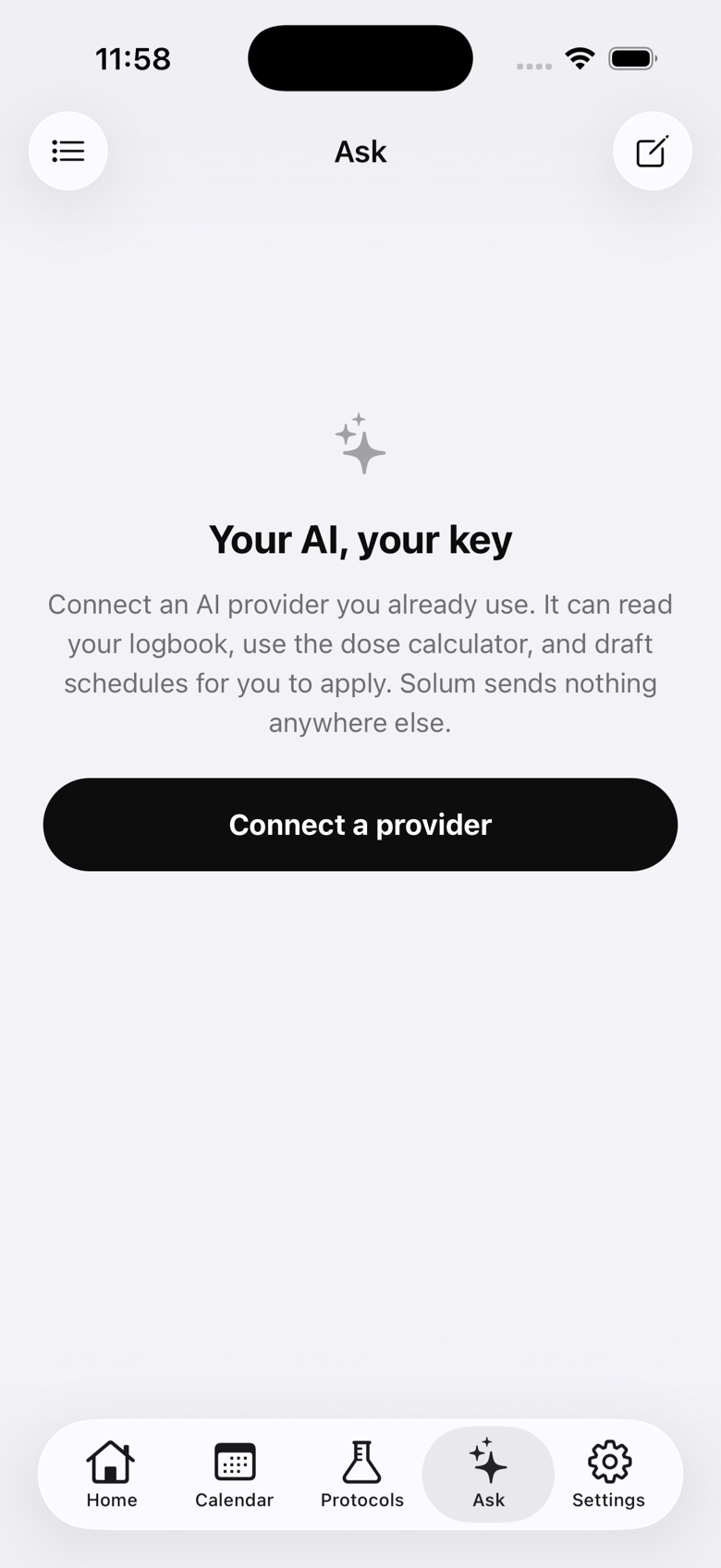
It is the fifth tab in the app. Until a provider is connected it explains what the assistant does and offers one button: Connect a provider.
- Read the disclaimer
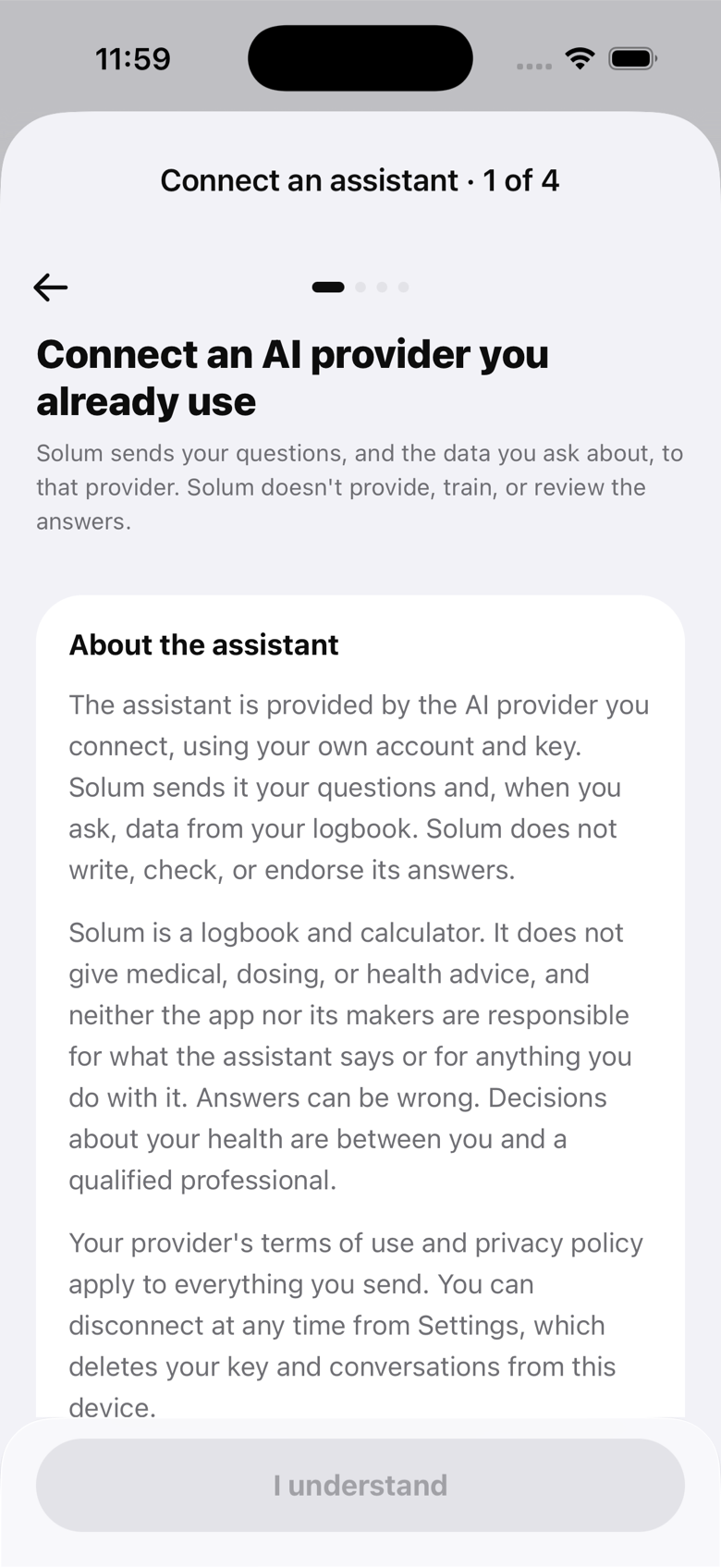
The first screen says who is answering (your provider, not Solum), what gets sent, and that nothing here is medical advice. You have to scroll to the end before I understand becomes available. If the wording changes in a later version, you will be asked to read it again.
- Pick a provider
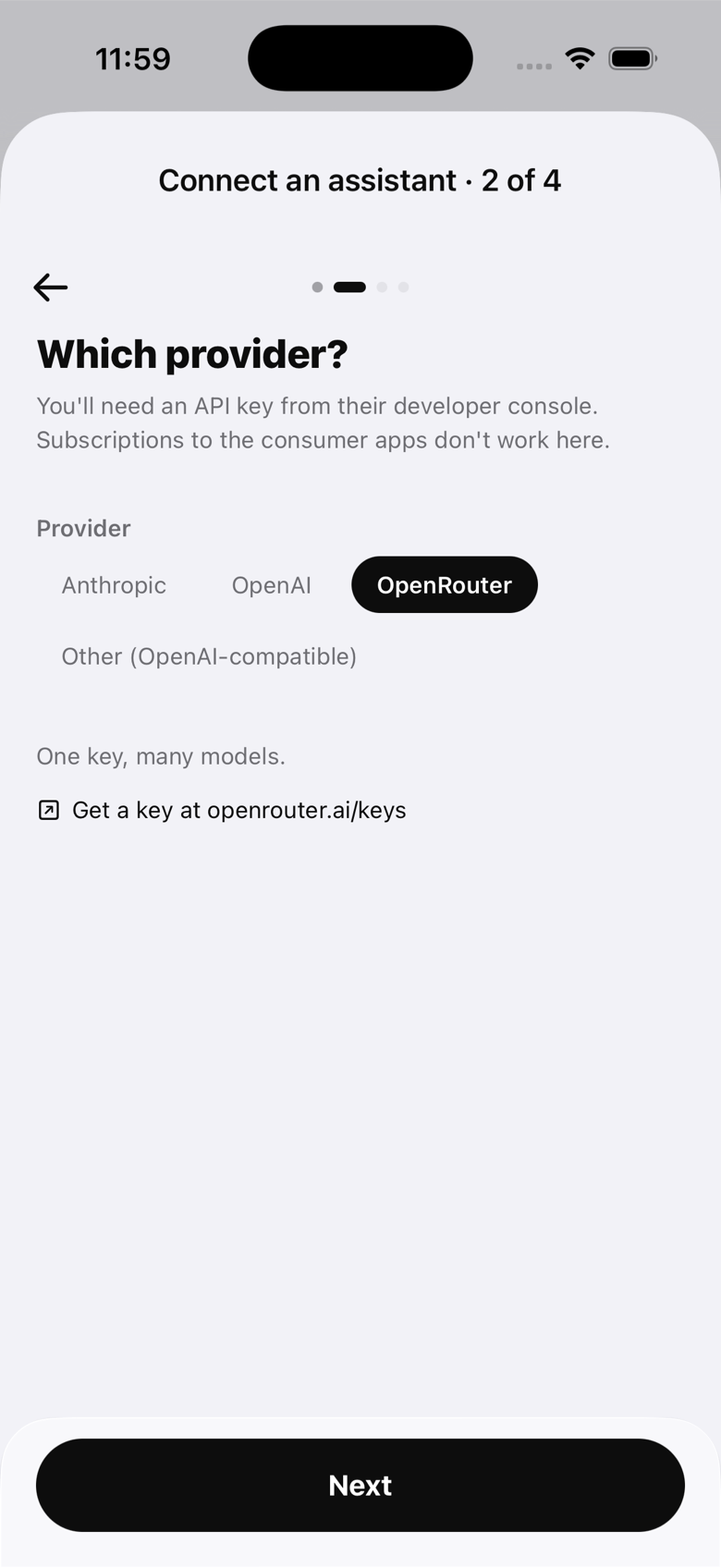
Anthropic, OpenAI and OpenRouter are preset. Other covers any server that speaks the OpenAI chat API: enter its base URL, ending in /v1. Each preset links to the page where you create a key.
- Paste your key and test it
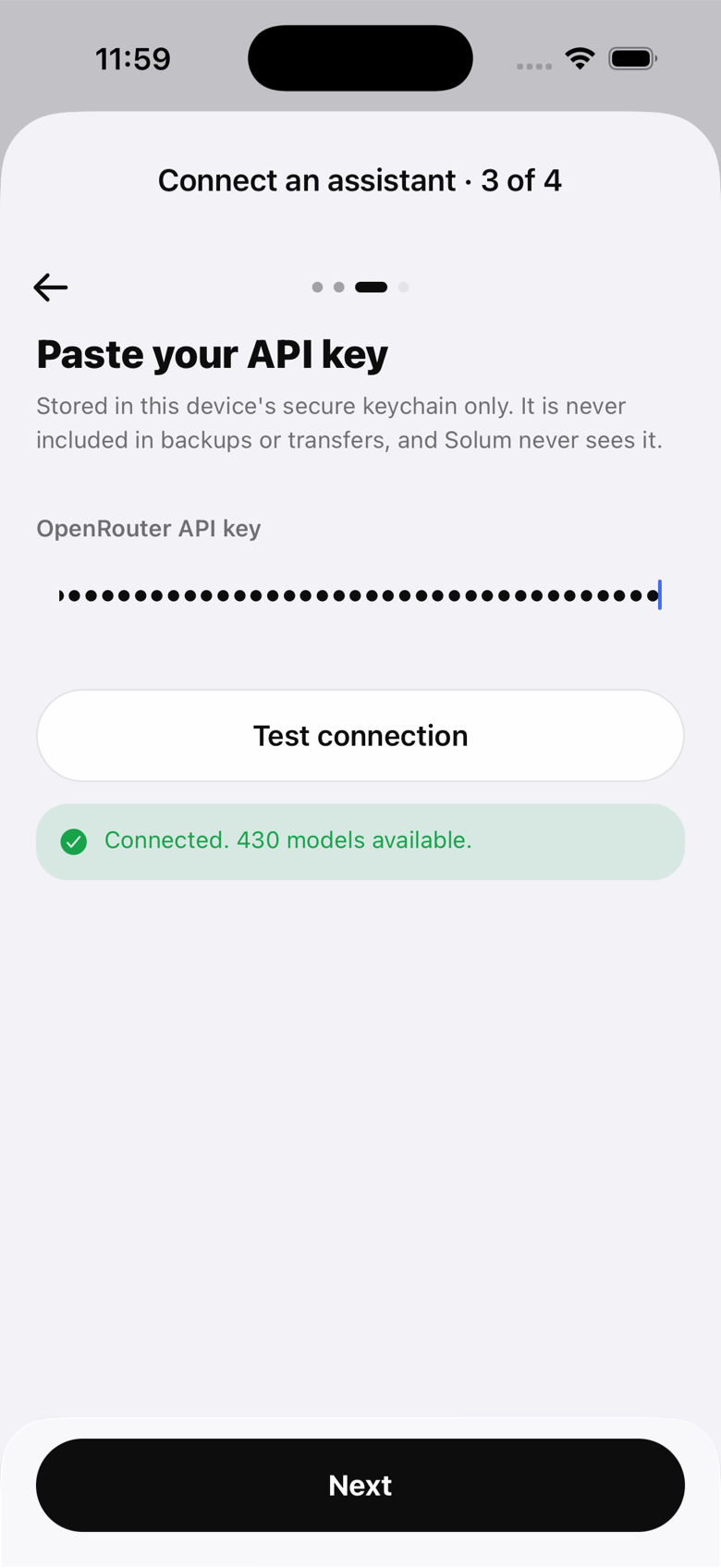
The key goes straight into the device keychain. Test connection asks the provider for its model list using that key. Next stays disabled until the test passes, so a bad key never gets saved.
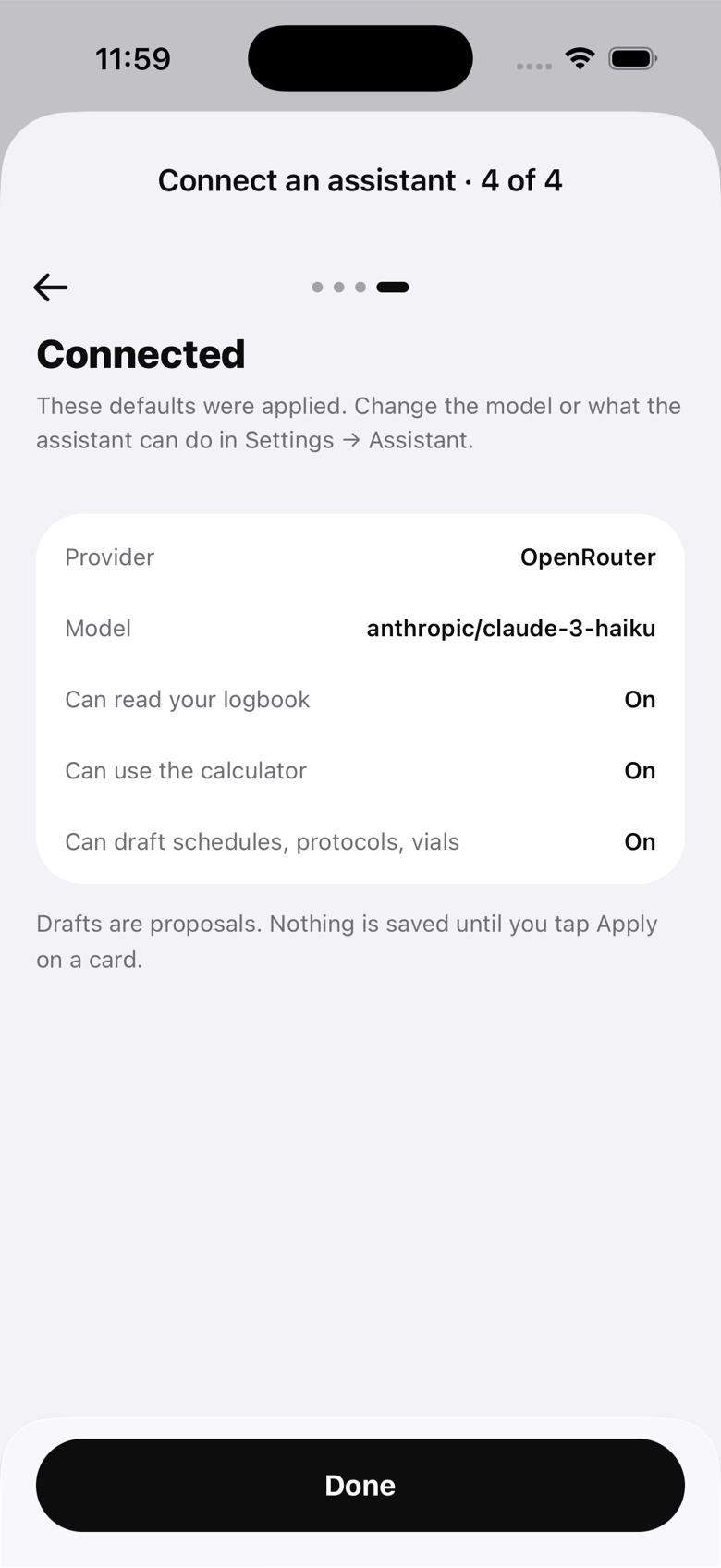
- Done
The last screen shows the provider, the model that was picked for you, and the three things the assistant is allowed to do. All of it can be changed later in Settings.
Using it
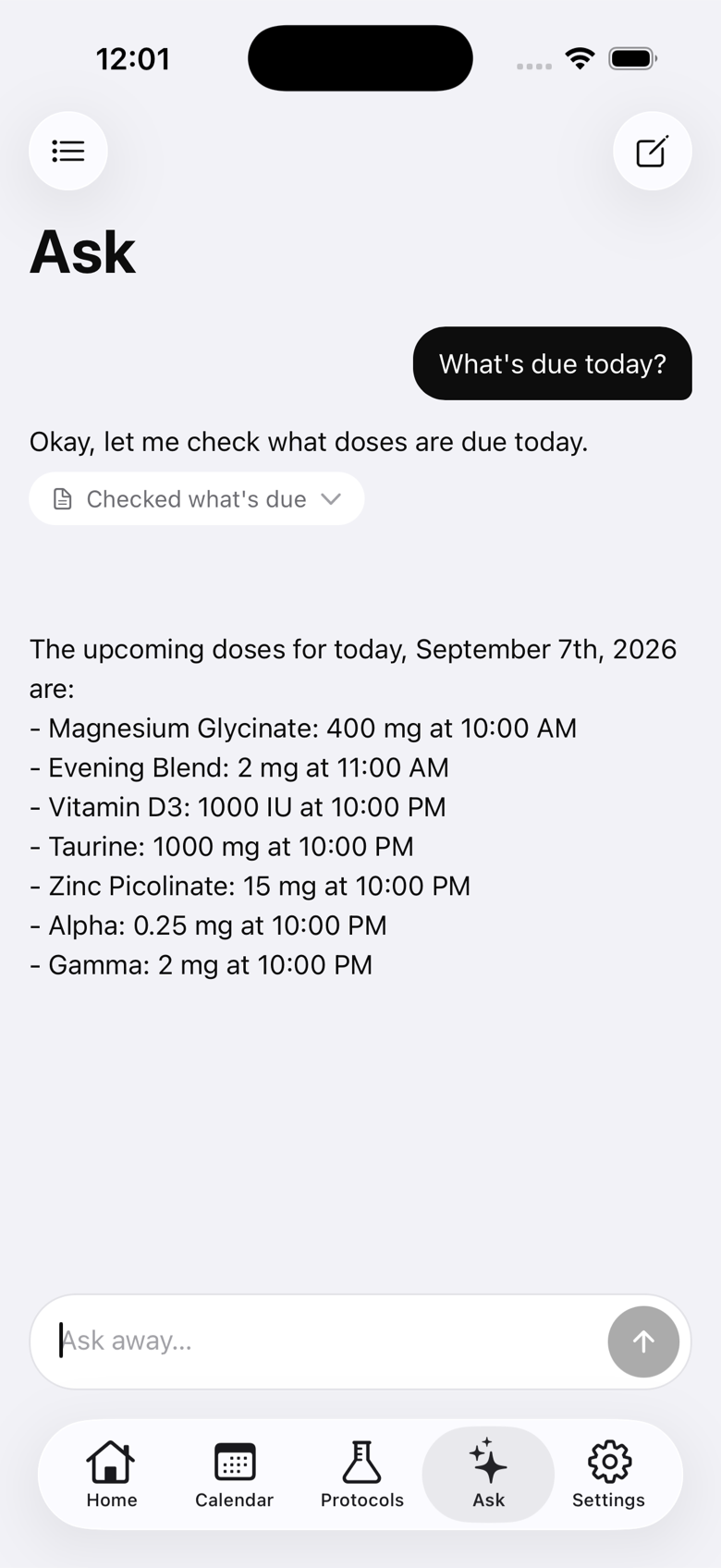
Ask about your own logbook: what is due, what is left in a vial, how you have been tracking. The assistant looks things up with a set of tools that run on the phone against the app's database, and it says which ones it used. Tap any activity chip under a reply to see exactly what was sent to the provider for that step.
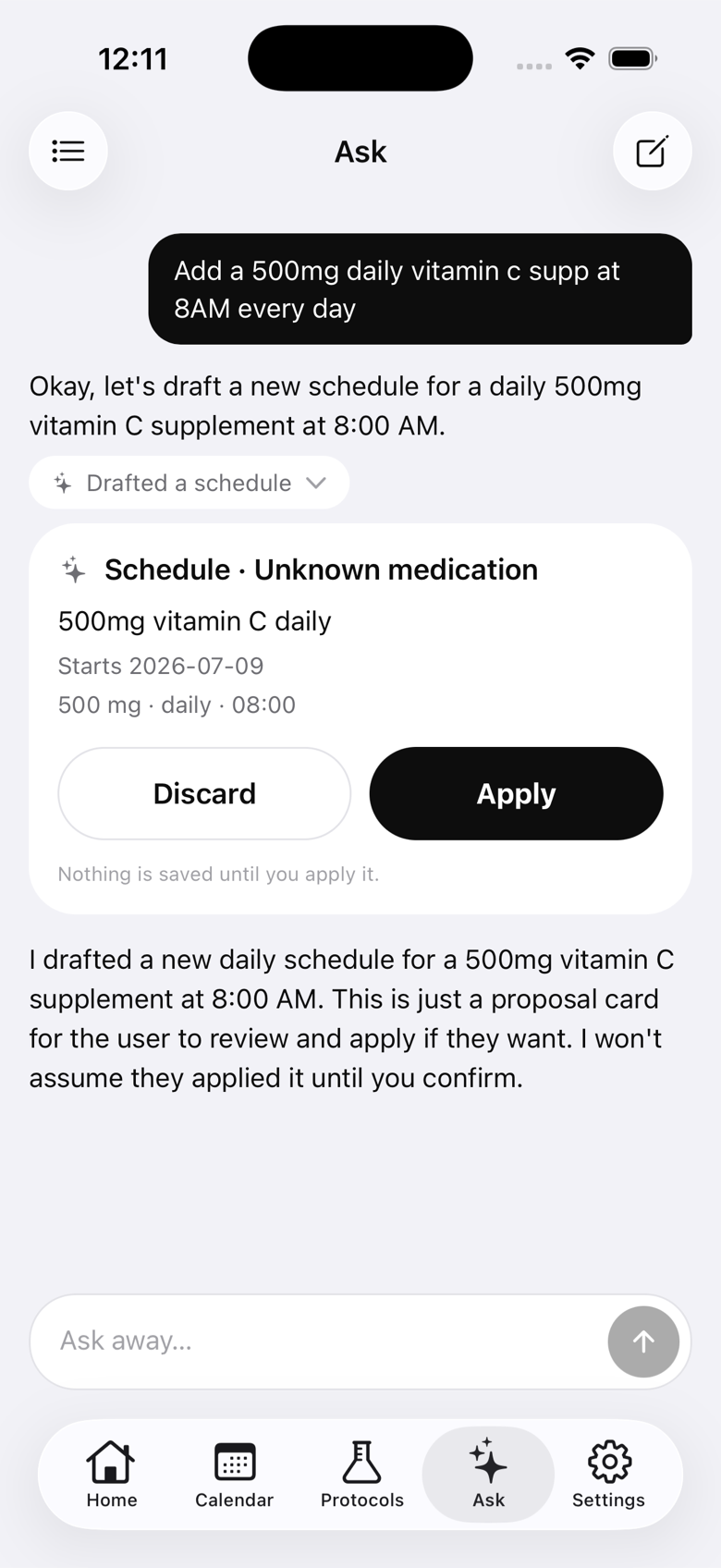
It can also draft a schedule, a vial or a protocol. Drafts arrive as proposal cards with Apply and Discard. Nothing is written until you tap Apply, and Apply runs the same checks as filling the form in yourself. The assistant cannot log a dose, edit a record, or delete anything on its own.
Settings
Settings → Assistant is where everything lives after setup.
- Model: pick from the provider's live model list. The wizard chose a default; change it here.
- Read your logbook: vials, schedules, protocols, doses, compliance and observations. Off means the assistant can only answer from what you type.
- Use the calculator: draw and reconstitution arithmetic.
- Draft schedules, protocols and vials: the proposal cards.
- Disconnect: deletes the key and every conversation from the phone.
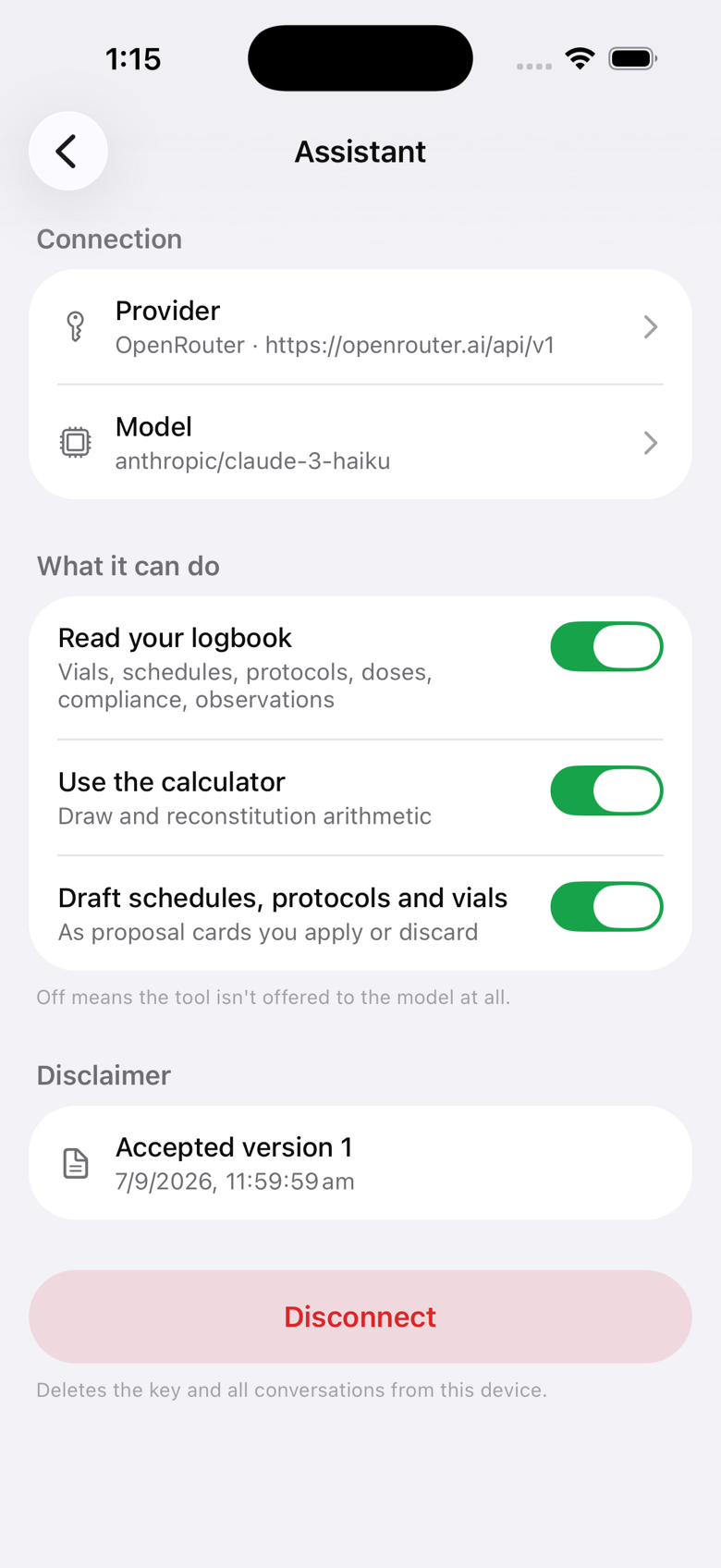
A capability that is switched off is not offered to the model at all, rather than offered and refused.
Where your data goes
This is the one feature in Solum that sends logbook data anywhere, and it only does so when you ask it a question. The details:
- Your key is stored in the iOS Keychain or Android Keystore. It is not in the database, not in exports, not in backups, and not in a device transfer. Solum's servers never receive it.
- Each request goes from your phone to your provider's API, over HTTPS, with your key. Solum has no proxy in the middle and cannot see the traffic.
- What the provider receives is your message, the conversation so far, a fixed description of how the app's data model works, and the results of any tools the model called (for example, the list of your schedules). The activity chips show you this verbatim.
- Your provider's terms of use and privacy policy apply to everything you send. Check how long they retain API traffic and whether they train on it.
- Conversations are stored on the phone only. Delete one from the list, or Disconnect to remove all of them along with the key.
Solum does not write, check or endorse the answers. The assistant is a logbook reader and calculator with a chat interface on top. It is not a clinician, its answers can be wrong, and nothing it says is medical advice.
If the connection test fails
- Wrong kind of key. The most common cause. Consumer subscriptions do not issue API keys; you need one from the developer console linked in the wizard.
- No credit. Some providers reject every call until the account has a balance, even the model list.
- Base URL (Other only). It must include the version path, usually ending in /v1, and the server must answer the OpenAI /models and /chat/completions routes.
- Local server (Other only). A server on your own network has to be reachable from the phone, on the same Wi-Fi, at an address the phone can resolve.
- Expired or revoked key. Create a fresh one in the provider console and paste it again.
Still stuck? Support is one email away. Please don't include your key.
See also: Privacy Policy · FAQ